
A visual HTML editor for pages and whole sites
Apollo Editor lets you build and change HTML pages without touching tags. Type on the page, drag in pictures and ready-made sections, set colors and spacing in the CSS Style Designer, and manage every page of the site from the Site Explorer.
- Windows 10 & 11
- No coding needed
- One-time license

Style visually too
The CSS Style Designer sets fonts, colors, borders, spacing, Flexbox and Grid without typing CSS.

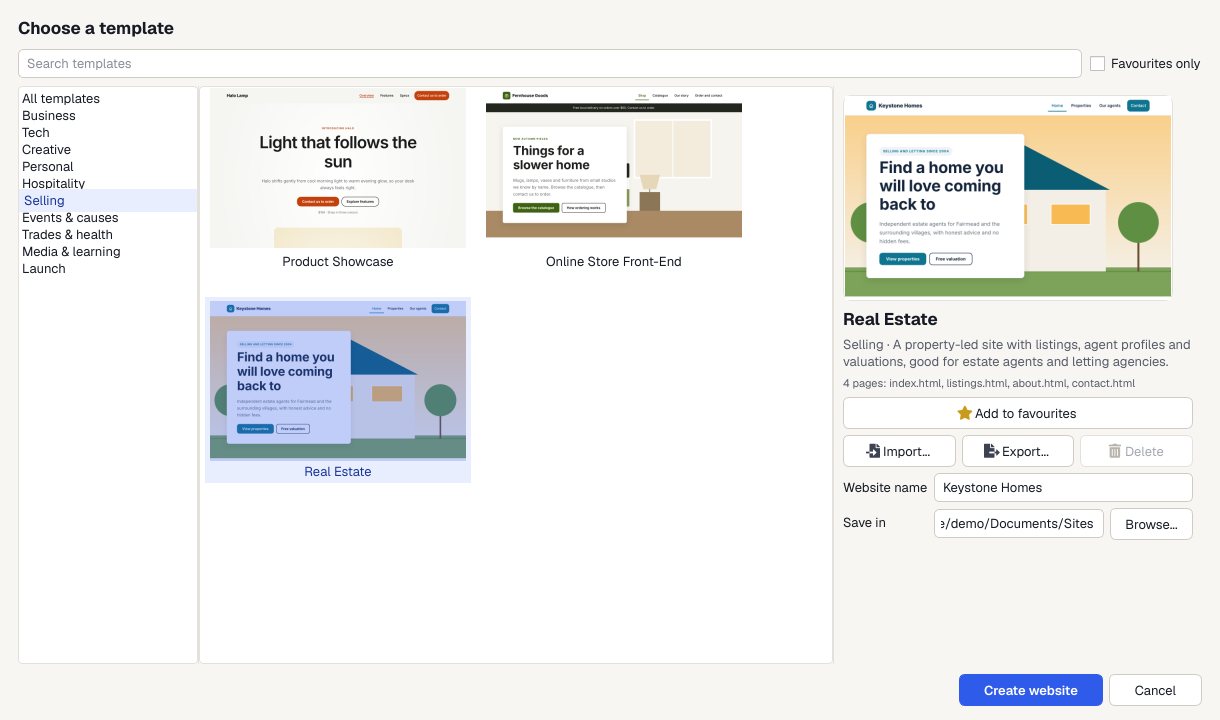
Pick a template
Choose File > New Website from Template and pick Real Estate, or any of the 30 designs.
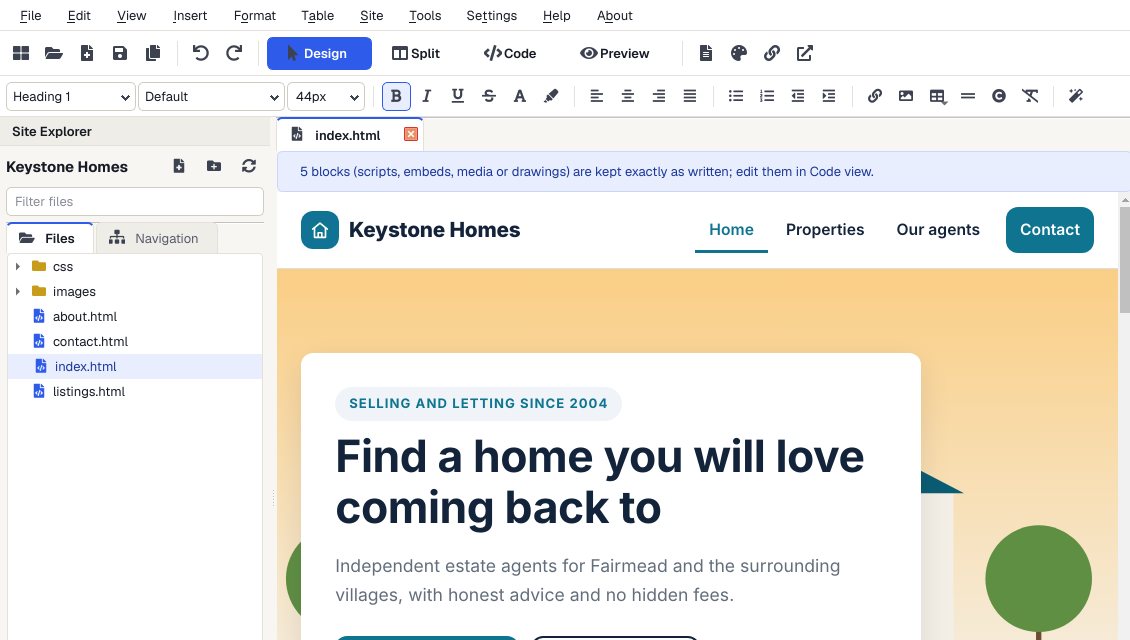
Make it yours
Click on the page and type. Swap in your own pictures, change colors and fonts, and drag in ready-made sections.
Check it on a phone
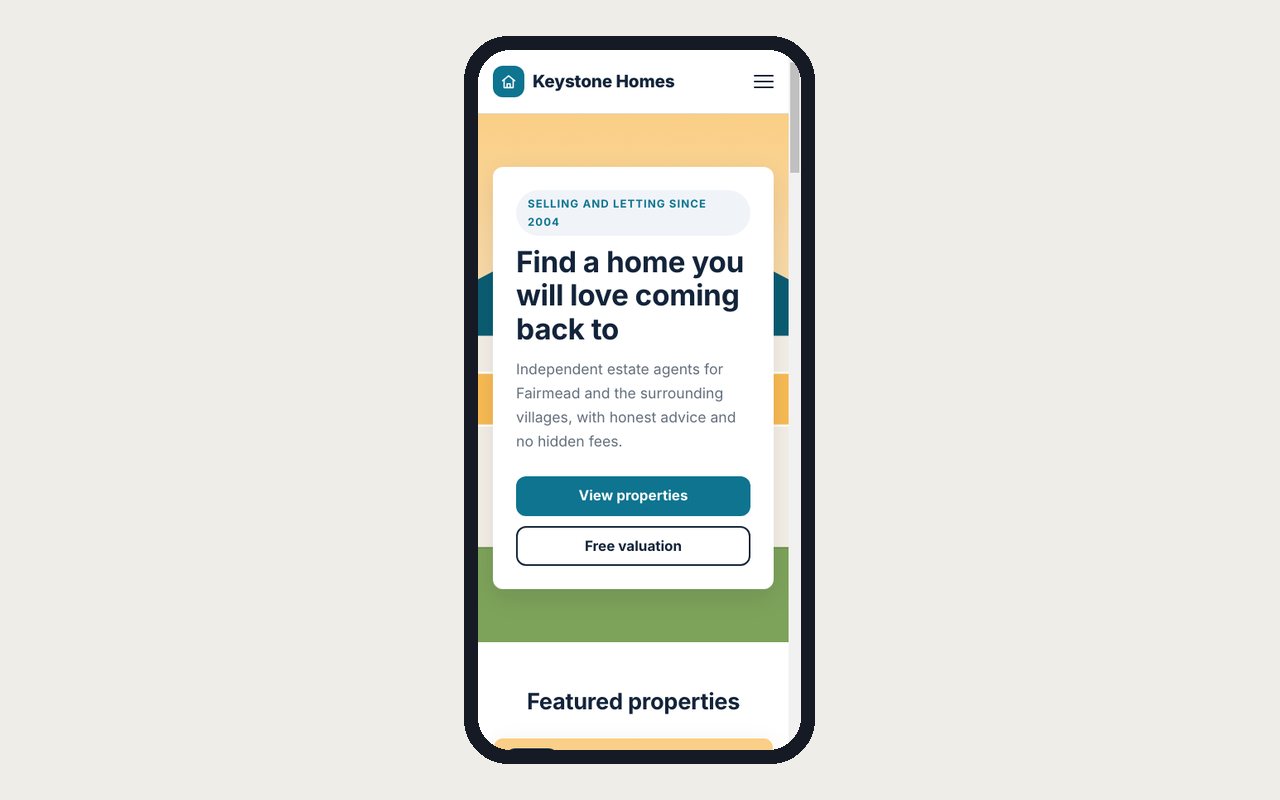
Preview shows every page at desktop, tablet and phone size, and links work so you can click through the whole site.

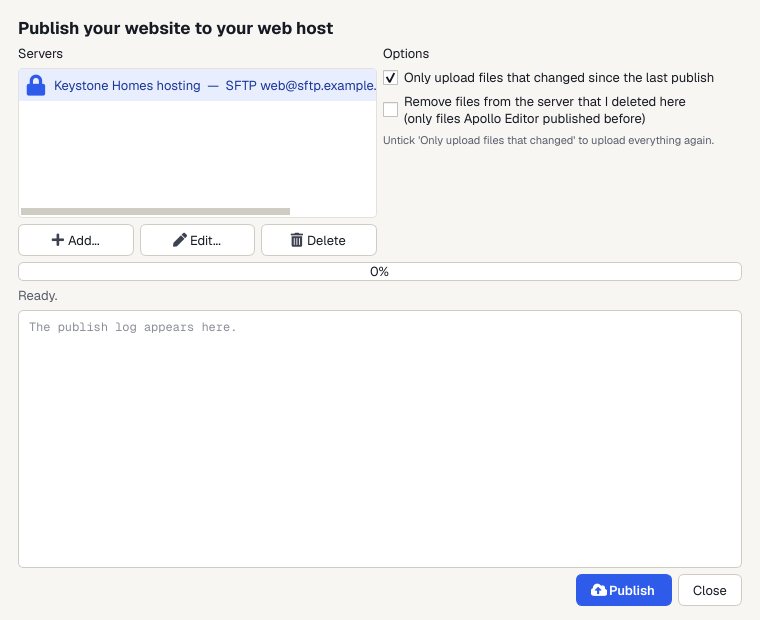
Publish
Upload to your web host by FTP, FTPS or SFTP. Next time, only the files you changed are sent.
Built visually
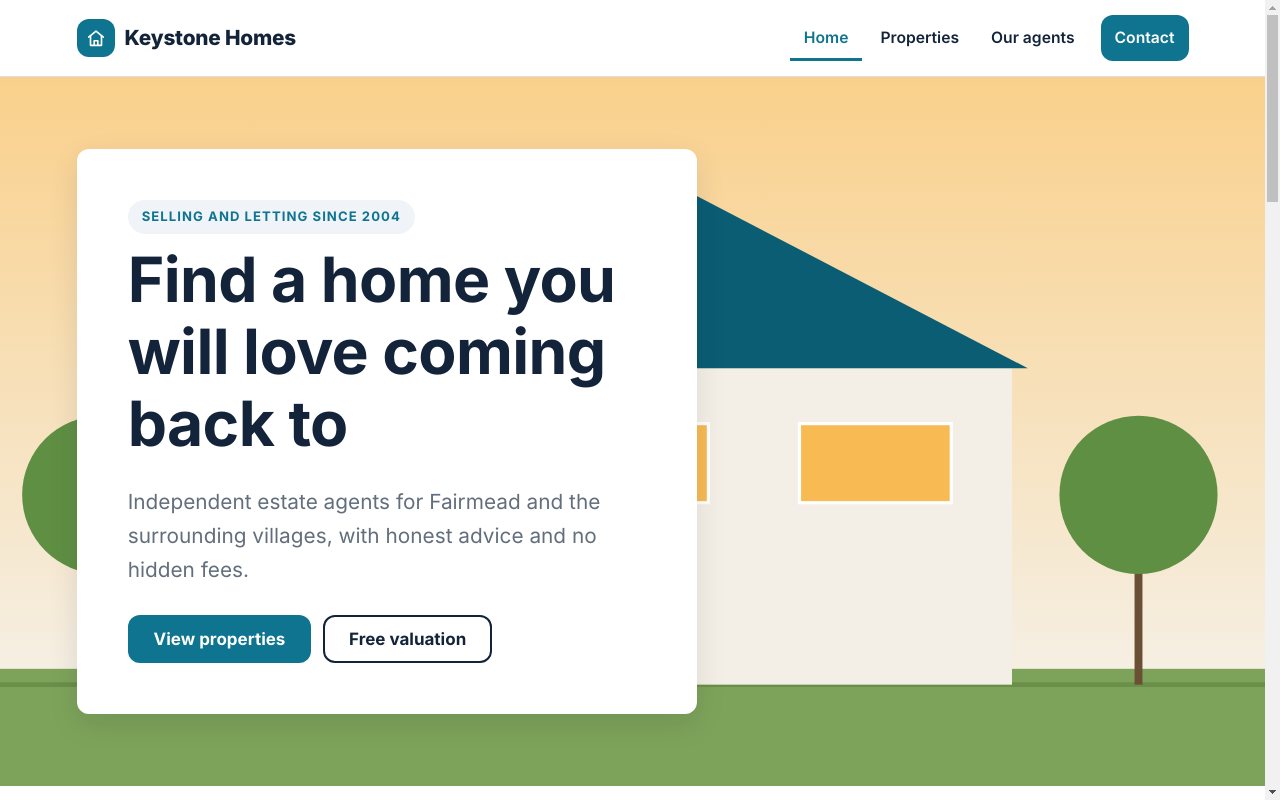
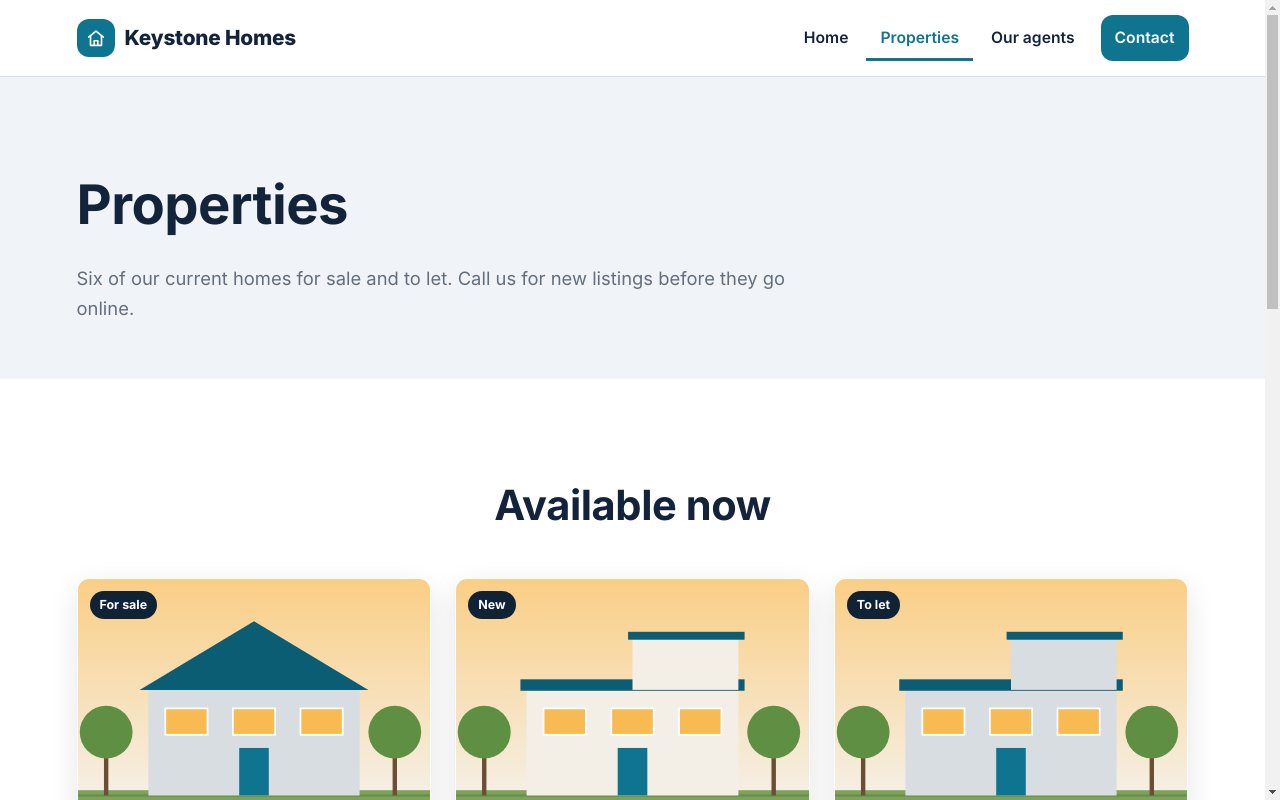
Pages from the Real Estate template, as Apollo Editor saves them.
Why visual editing
20 ready-made sections
Galleries, pricing tables, testimonials, FAQs, contact forms and more. Drag one onto the page.
Visual styling
The CSS Style Designer writes rules to your stylesheet, for every screen or phones only.
Properties panel
See where you are in the page, and change any element's id, class or style.
Code when you want it
Split and Code views show the HTML behind the page, with highlighting, autocomplete and validation.
Who it's not for: people who want to place boxes anywhere with the mouse. Pages are built from blocks that stack and reflow on phones.
One license. Unlimited websites.

One-time payment · instant download
- WebsitesUnlimited
- Templates30 included
- PublishingFTP, FTPS, SFTP
- Works onWindows 10 & 11
- UpdatesFree
- Activations1 PC
Get Apollo Editor
It installs and runs without a key, so you can design, edit, preview and save your whole site first. Publishing it needs an activated Installation Key.
Buy now · $79.95Already purchased? Get your download link again
Do I need to know HTML?
No. In Design view you click on the page and type, and Apollo Editor writes the HTML. Split and Code views are there if you want to see or change the code.
Can I style pages visually?
Yes. The CSS Style Designer (Ctrl+Shift+Y) sets fonts, colors, backgrounds, borders, spacing, Flexbox, Grid and effects, for one element or every match of a selector.
Can I see what it's writing?
Yes. Split view shows the HTML next to the page, and Code view shows the whole file.
Will it look right on phones?
The templates and sections are responsive, and Preview shows every page at desktop, tablet, phone or a custom size before you publish.
Can I try it before I activate?
Yes. It installs and runs without a key, so you can design, edit, preview and save your whole site first. Publishing it needs an activated Installation Key.
More from Apollo Editor
Edit HTML visually
Click, type, drag and style, then publish.
Get Apollo Editor · $79.95