An HTML5 editor for modern, responsive pages
Everything you add in Apollo Editor is written as HTML5 and CSS. Templates use semantic tags like header, nav, main, section and footer; Insert > Audio or Video adds HTML5 players; Page Properties sets the viewport for phones; validation flags what's missing.
- Windows 10 & 11
- HTML5 and CSS
- One-time license
HTML5 audio and video
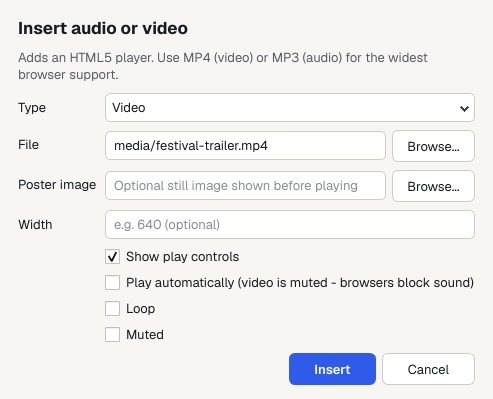
Insert > Audio or Video adds a player for MP4 video or MP3 audio, with a poster picture, controls, loop and muted options.
What validation checks
Tools > Validate Page (F6), from the User Guide and the app.
- Document
- A missing doctype, title, lang attribute, character set or viewport tag.
- Tags
- Unclosed or mismatched tags and duplicate ids.
- Accessibility basics
- Pictures with no alt text.
- CSS
- Problems in the CSS inside the page.
- Where
- Listed in the Validate Page window and marked beside the line numbers in Code view.
Pick a template
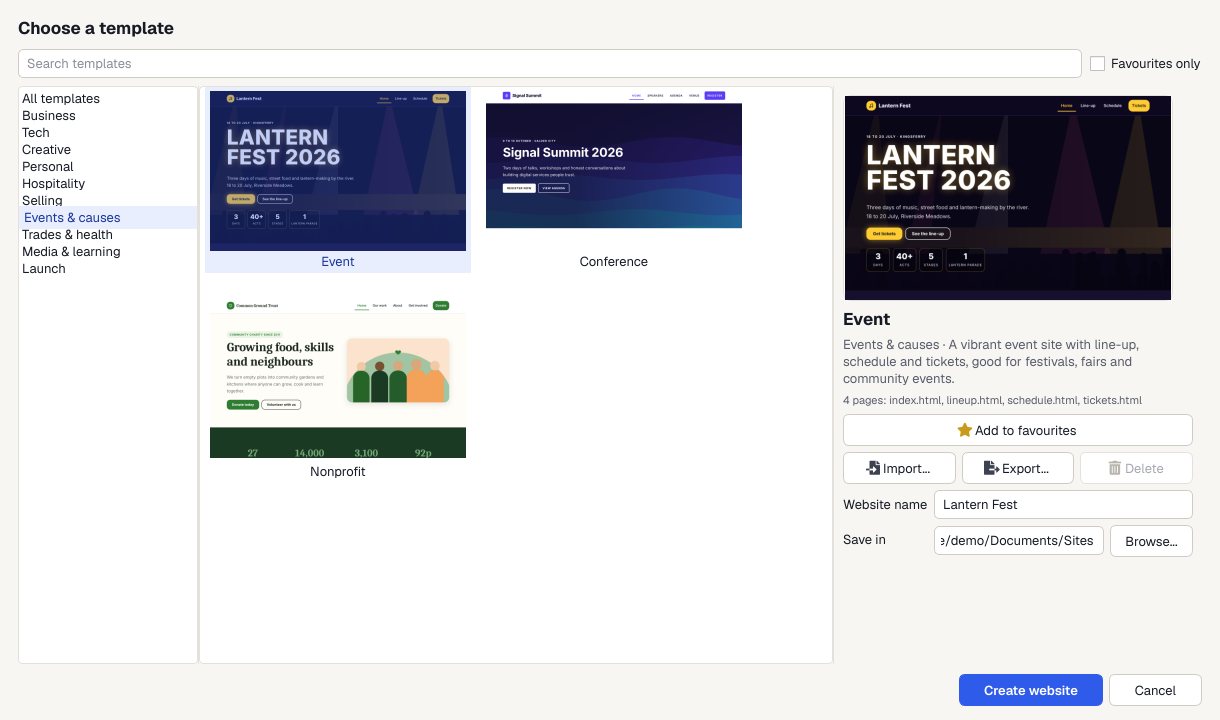
Choose File > New Website from Template and pick Event, or any of the 30 designs.
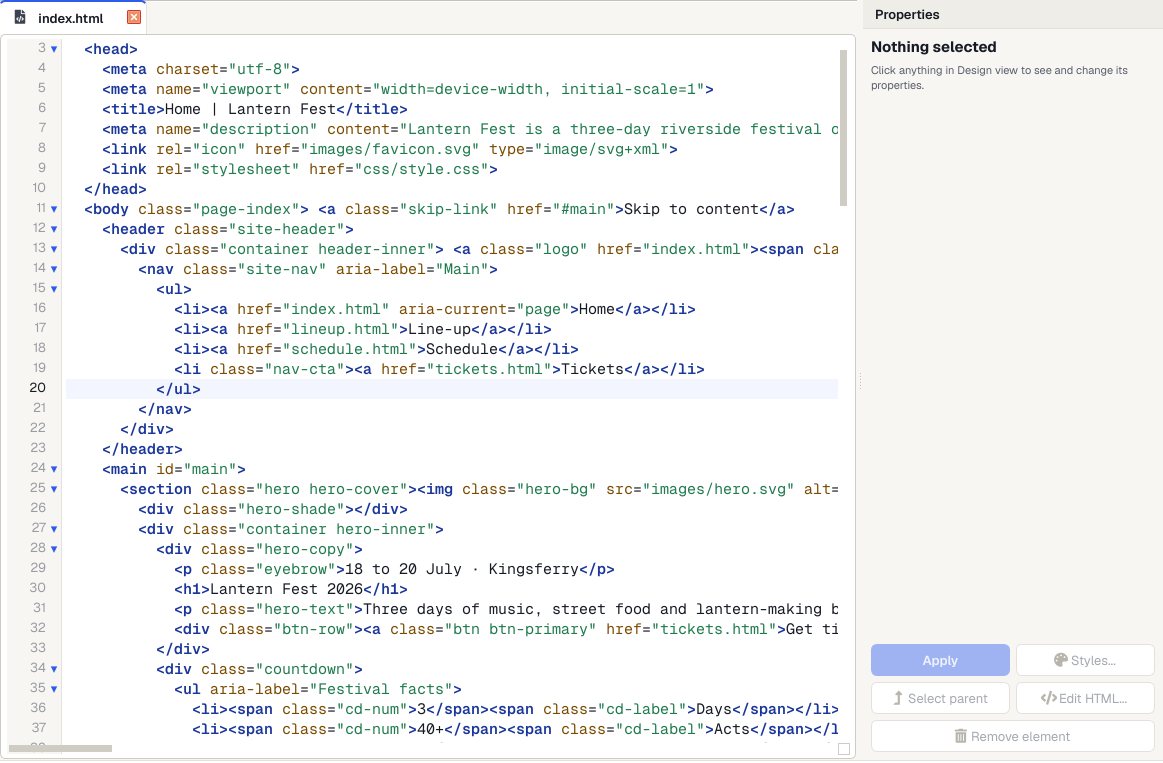
Edit visually or in code
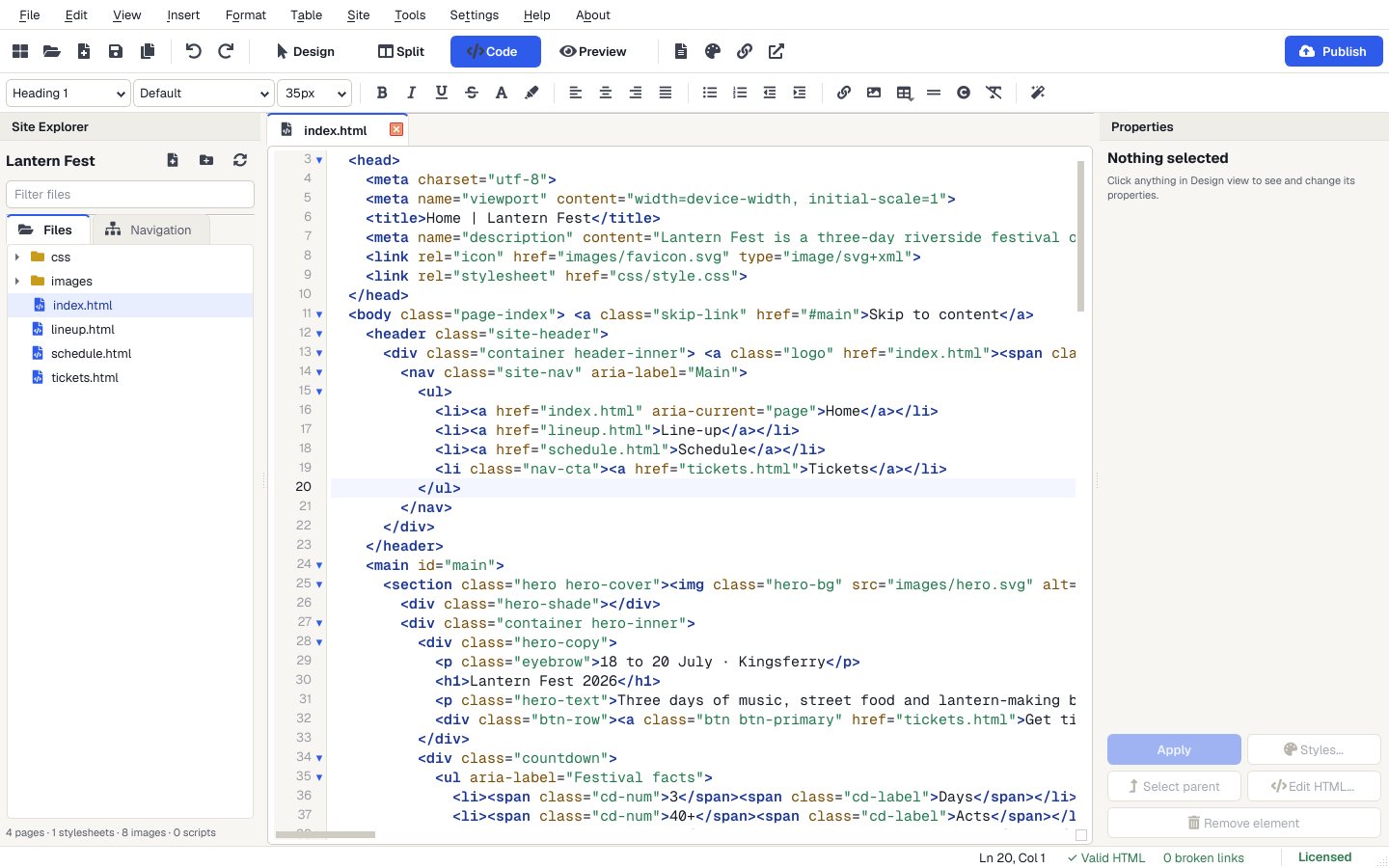
Design view for words and pictures, Code view for markup.
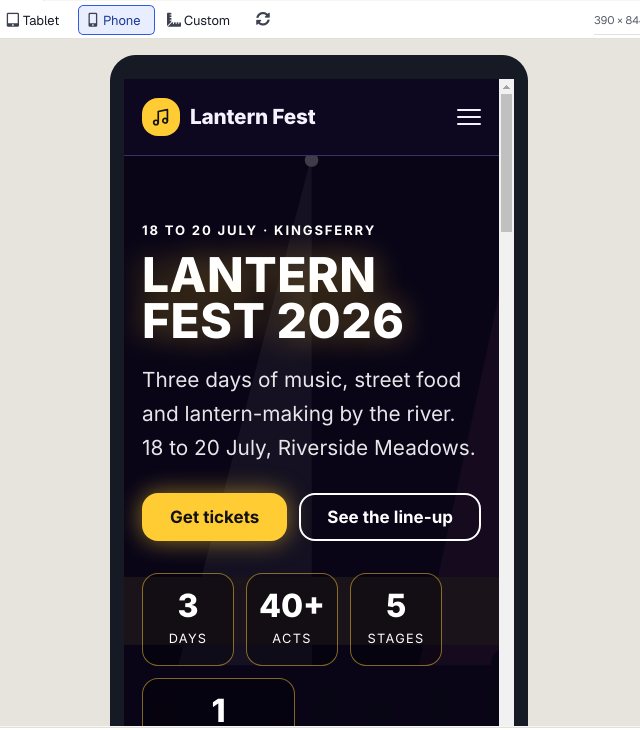
Check it on a phone
Preview shows every page at desktop, tablet and phone size, and links work so you can click through the whole site.
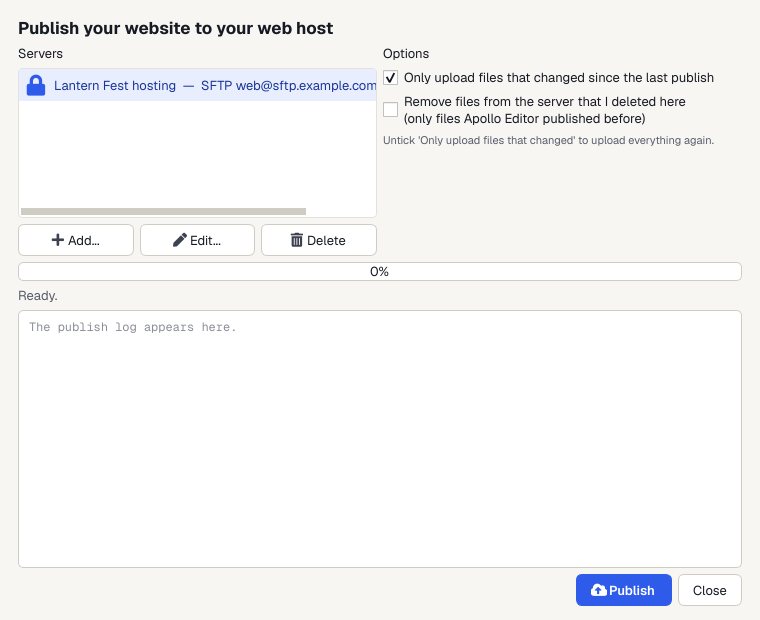
Publish
Upload to your web host by FTP, FTPS or SFTP. Next time, only the files you changed are sent.
Why it suits HTML5 work
Semantic templates
Every template uses header, nav, main, section and footer, with no frameworks.
Responsive images
srcset, sizes and lazy loading from Image Properties.
Head control
Title, description, language, encoding, viewport, canonical, favicon and social tags in Page Properties.
Code when you want it
Split and Code views show the HTML behind the page, with highlighting, autocomplete and validation.
Who it's not for: web app developers who need build tools and frameworks. Apollo Editor makes standard HTML5 and CSS websites.
One license. Unlimited websites.

One-time payment · instant download
- WebsitesUnlimited
- Templates30 included
- PublishingFTP, FTPS, SFTP
- Works onWindows 10 & 11
- UpdatesFree
- Activations1 PC
Get Apollo Editor
It installs and runs without a key, so you can design, edit, preview and save your whole site first. Publishing it needs an activated Installation Key.
Buy now · $79.95Already purchased? Get your download link again
Does it write HTML5?
Yes. Templates, sections and everything you insert are HTML5 with CSS, and new pages start with an HTML5 doctype and viewport.
Can I add HTML5 video?
Yes. Insert > Audio or Video adds an HTML5 player for MP4 video or MP3 audio, with a poster picture, controls, loop and muted options.
Does it convert old pages to HTML5?
It doesn't rewrite pages on its own. Validate Page shows what's missing, such as a doctype, viewport or lang attribute, and you can fix it in Code view or Page Properties.
Can I try it before I activate?
Yes. It installs and runs without a key, so you can design, edit, preview and save your whole site first. Publishing it needs an activated Installation Key.
More from Apollo Editor
HTML5, visually or by hand
Semantic templates, HTML5 media and validation in one editor.
Get Apollo Editor · $79.95