
How to build a website, step by step
Building a website comes down to seven steps: a domain name, web hosting, a design, your words and pictures, a phone check, a final check for mistakes, and uploading the files. Here's how each one works, using Apollo Editor on Windows.
- Windows 10 & 11
- No coding needed
- One-time license
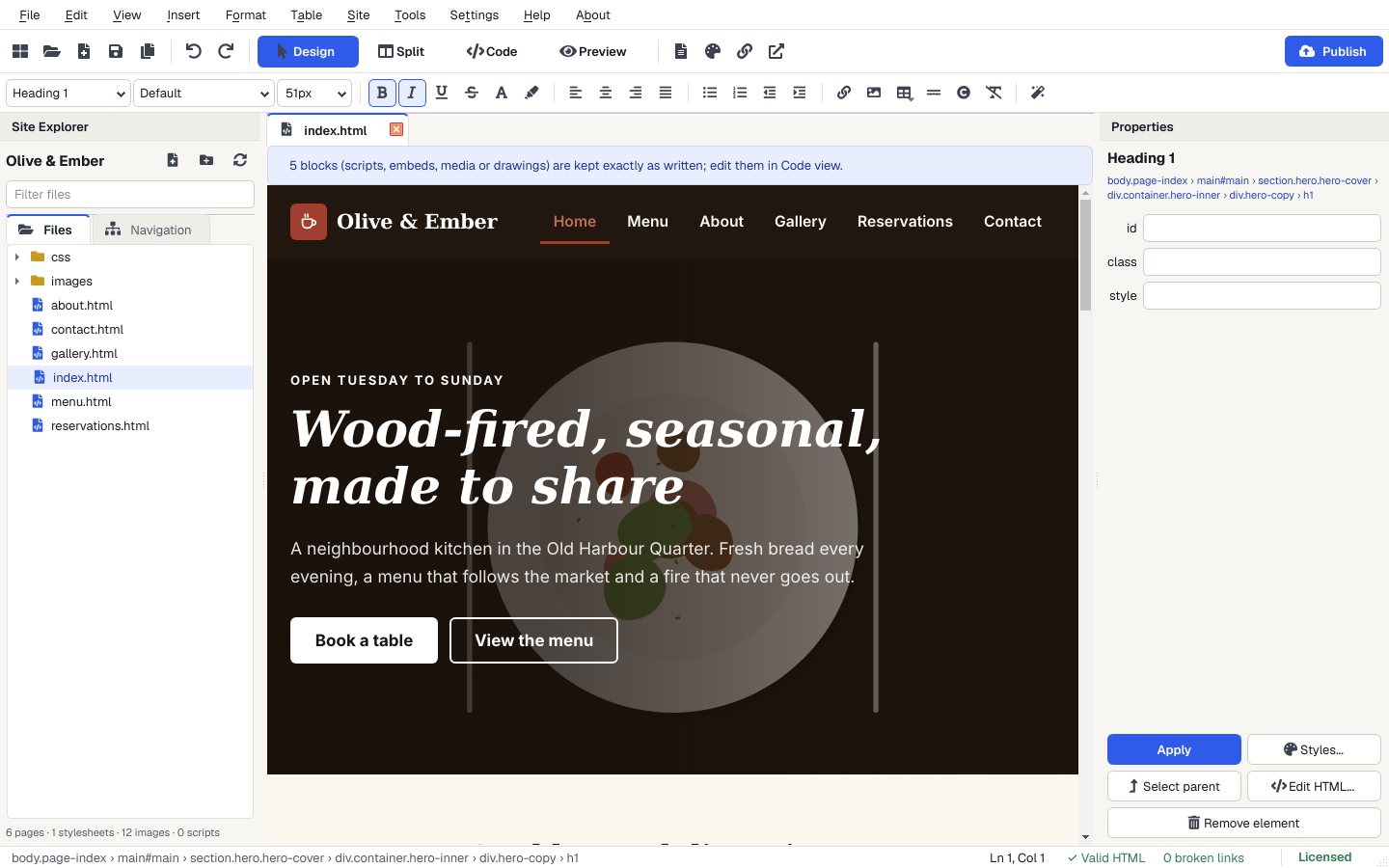
The seven steps
What each step involves, and where Apollo Editor does it.
- 1. Get a domain name
- Your address, like yourbusiness.com. Buy it from a domain registrar or your web host.
- 2. Get web hosting
- Space on a server where your files live. Your host gives you FTP or SFTP details: server address, username and password.
- 3. Choose a design
- In Apollo Editor, File > New Website from Template offers 30 complete, responsive designs, or start with a blank page.
- 4. Add your words and pictures
- Click on the page and type. Drag pictures in from Windows, add links with Ctrl+K and buttons from the Insert menu.
- 5. Check it on a phone
- Preview shows every page at desktop, tablet and phone size, and you can click through the links.
- 6. Check for mistakes
- Site > Check Links finds broken internal links, F7 checks spelling and F6 checks the HTML.
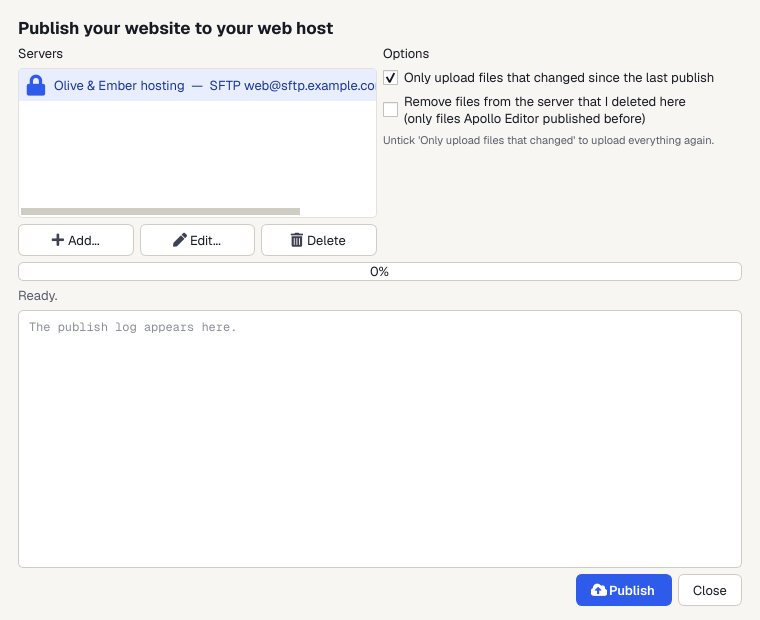
- 7. Upload it
- Enter your host's details once in the Publish window and click Publish. Next time only changed files are sent.
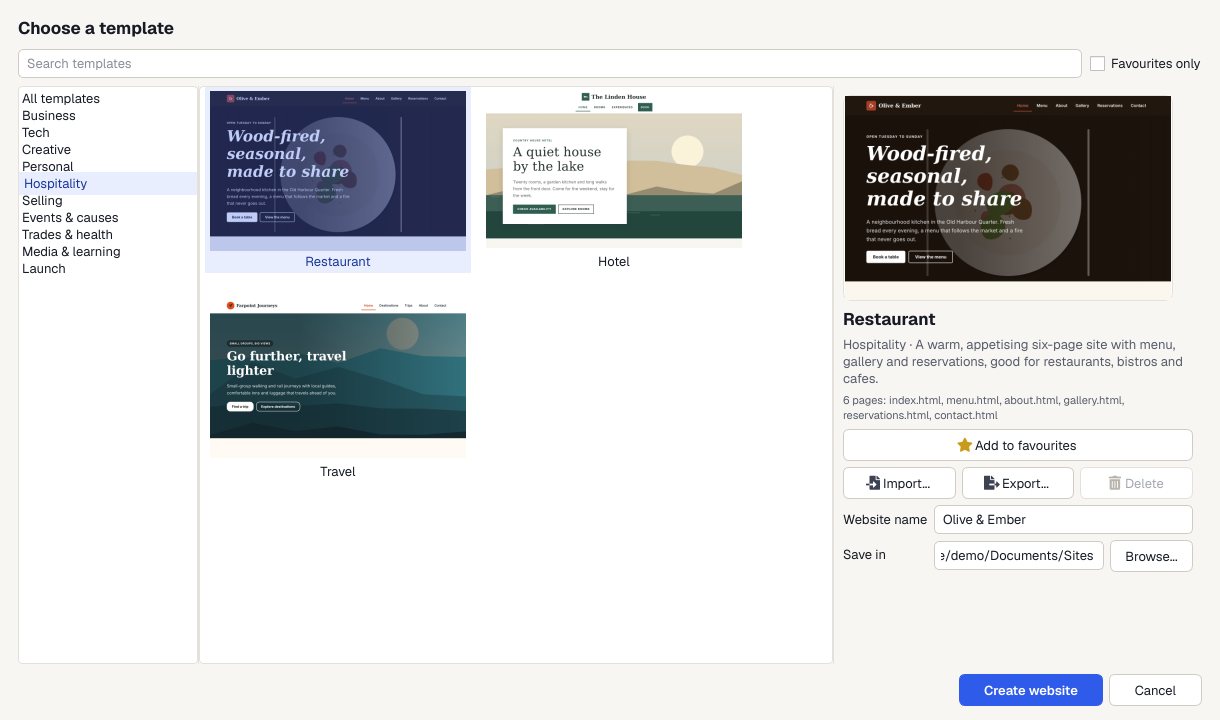
Pick a template
Choose File > New Website from Template and pick Restaurant, or any of the 30 designs.
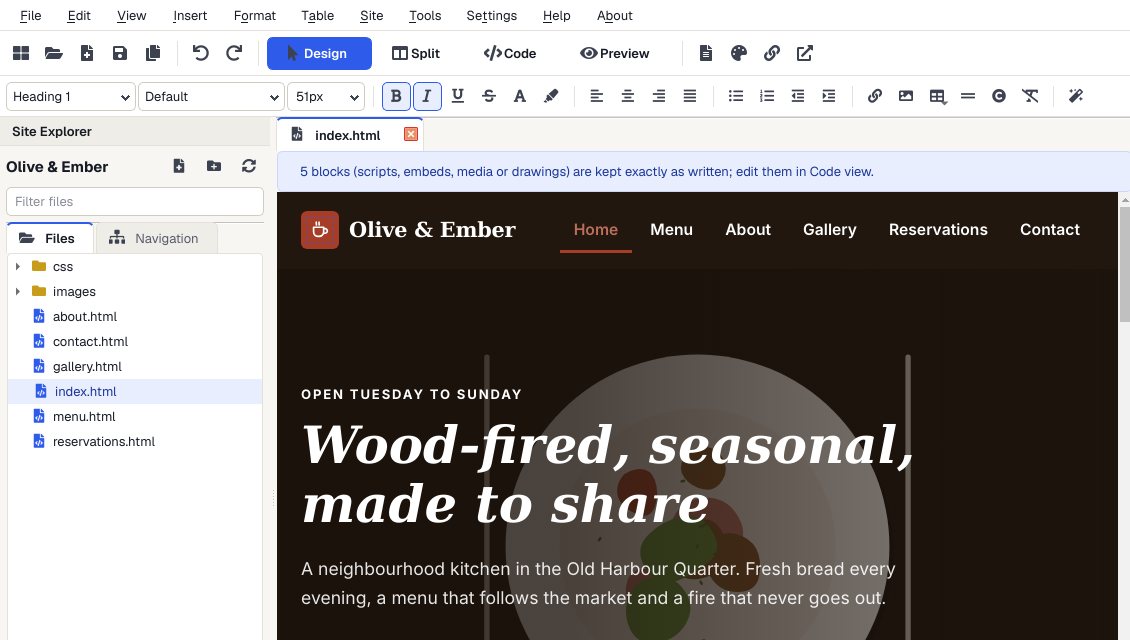
Make it yours
Click on the page and type. Swap in your own pictures, change colors and fonts, and drag in ready-made sections.
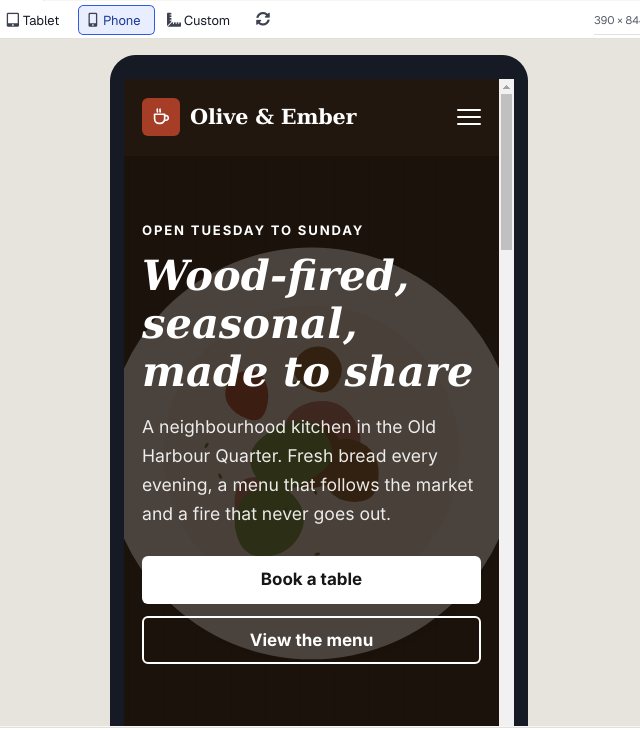
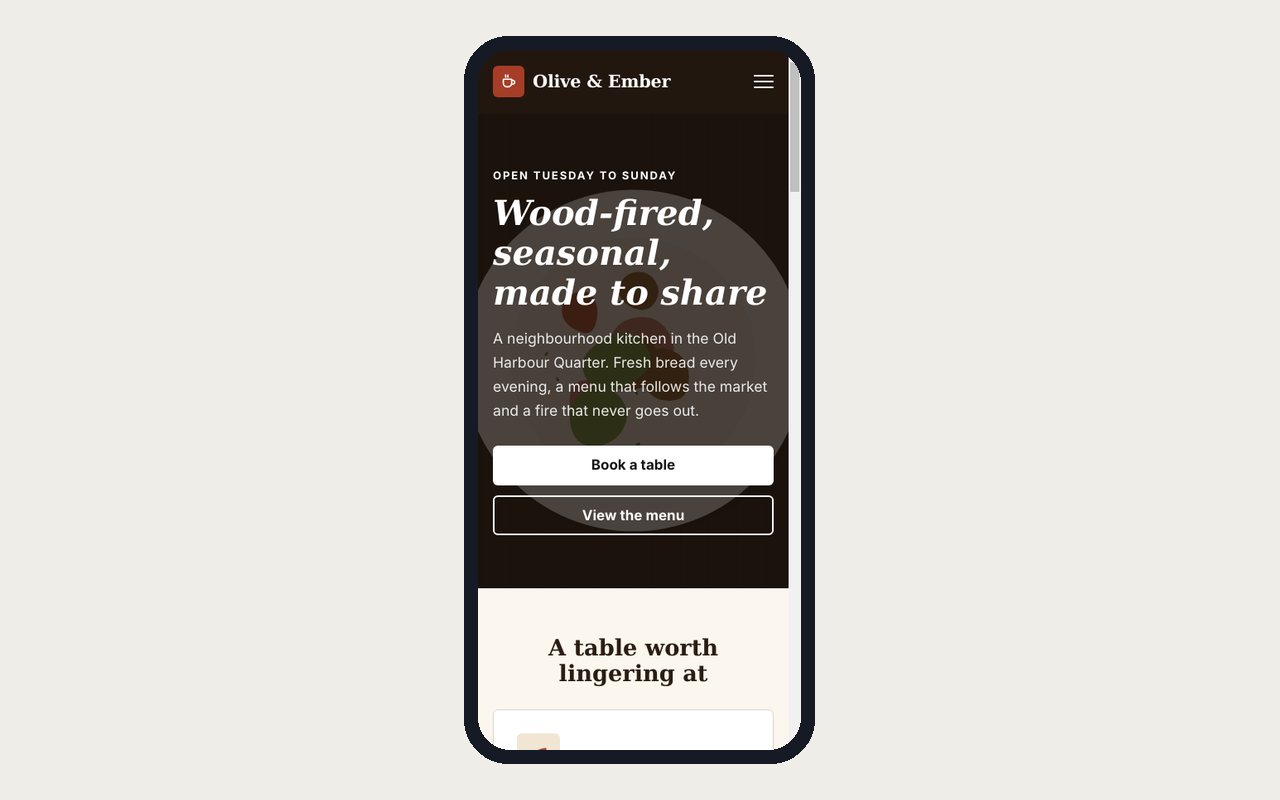
Check it on a phone
Preview shows every page at desktop, tablet and phone size, and links work so you can click through the whole site.
Publish
Upload to your web host by FTP, FTPS or SFTP. Next time, only the files you changed are sent.
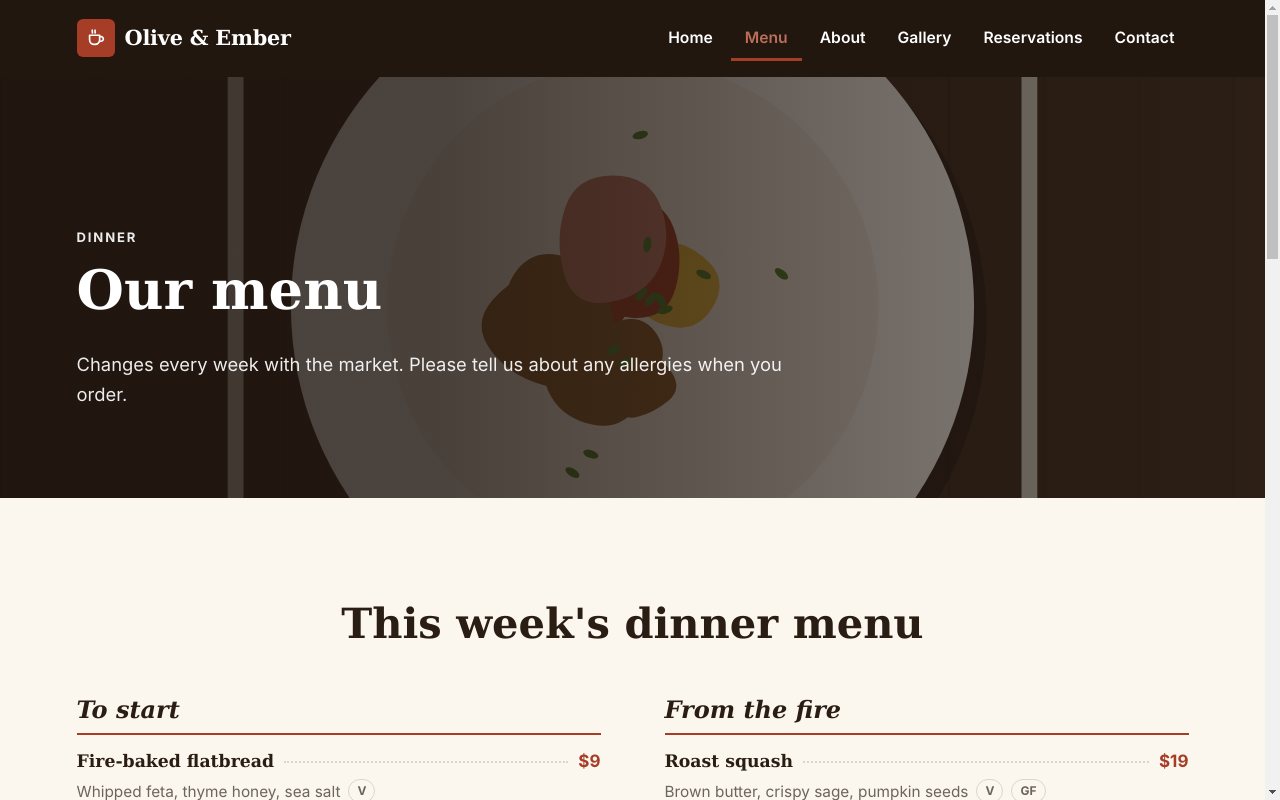
What you end up with
A complete site from the Restaurant template: real pages, one stylesheet and its own pictures.

Why build it this way
30 templates
Complete, responsive websites in 10 categories, installed with the app.
Your files, your host
Plain HTML, CSS and pictures in a folder on your PC. No project file, no lock-in, host it anywhere.
Checks before you publish
Broken internal links, HTML and CSS problems and spelling are found before visitors see them.
Pay once
One license, as many websites as you like, and no monthly bill for the editor.
Who it's not for: people who'd rather not deal with a domain and hosting at all. An all-in-one online service handles those for a monthly fee; with Apollo Editor you choose your own host.
One license. Unlimited websites.

One-time payment · instant download
- WebsitesUnlimited
- Templates30 included
- PublishingFTP, FTPS, SFTP
- Works onWindows 10 & 11
- UpdatesFree
- Activations1 PC
Get Apollo Editor
It installs and runs without a key, so you can design, edit, preview and save your whole site first. Publishing it needs an activated Installation Key.
Buy now · $79.95Already purchased? Get your download link again
How long does it take to build a website?
Starting from a template, a simple site can be ready in an afternoon: most of the time goes on writing your words and choosing pictures.
Do I need to learn HTML?
No. In Design view you click on the page and type, and Apollo Editor writes the HTML. Code view is there if you want to learn or tweak it.
What does a website cost to run?
A domain name and web hosting, paid to whoever you choose. Apollo Editor itself is a one-time purchase with no monthly fee.
Can I build the site before I have hosting?
Yes. Build and preview the whole site on your PC first, then publish it once your hosting is ready.
Will the contact form send me emails?
A form needs a form handler on your web host to send the answers. Put its address in the form's Send to (action) box. Most hosts provide one in their control panel.
More from Apollo Editor
Build your website this afternoon
Start from a template, make it yours and upload it to your own host.
Get Apollo Editor · $79.95