
Edit your site and upload it by FTP or SFTP
Apollo Editor has publishing built in. Save your host's details once, test the connection, then click Publish. After the first time, only the files you changed are uploaded, and the size of every file is checked after it arrives.
- Windows 10 & 11
- FTP, FTPS, SFTP
- One-time license
Which connection type to choose
From the User Guide.
- SFTP
- Recommended when your host offers it. Everything is encrypted. Sign in with a password or a private key file.
- FTPS
- FTP with encryption (TLS). Offered by most shared hosting.
- FTP
- Only if your host offers nothing else. The password and files are not encrypted.
- Website folder
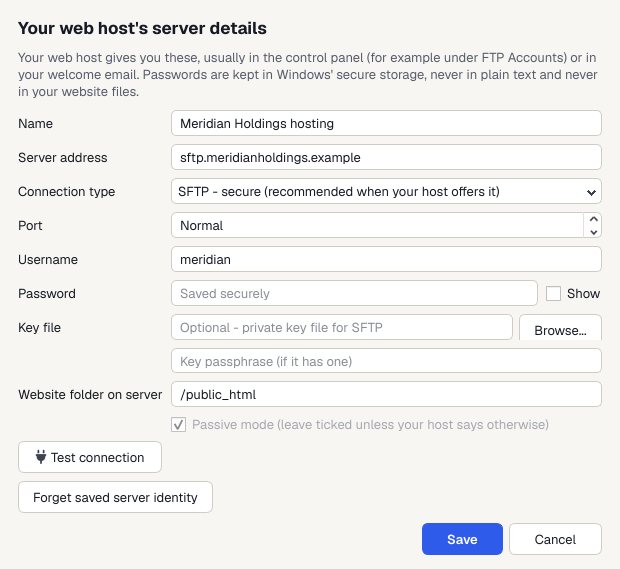
- Often /public_html or /www. Your host's control panel or welcome email shows it.
- No server?
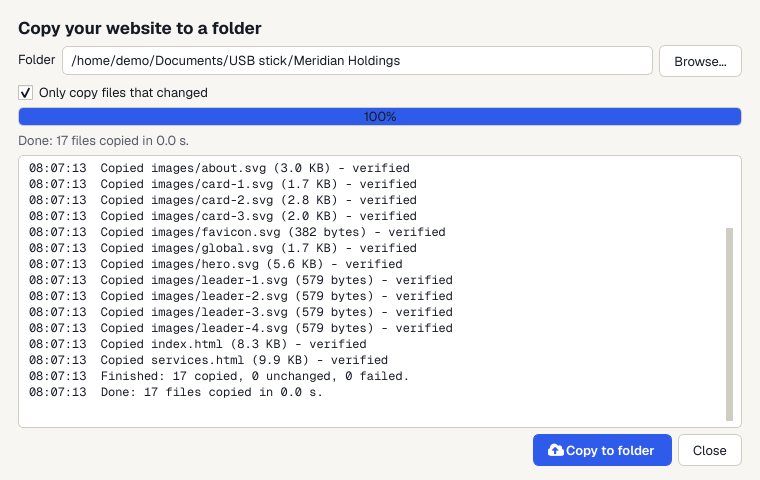
- File > Publish to a Folder or File > Export Website as ZIP. Neither needs a server.
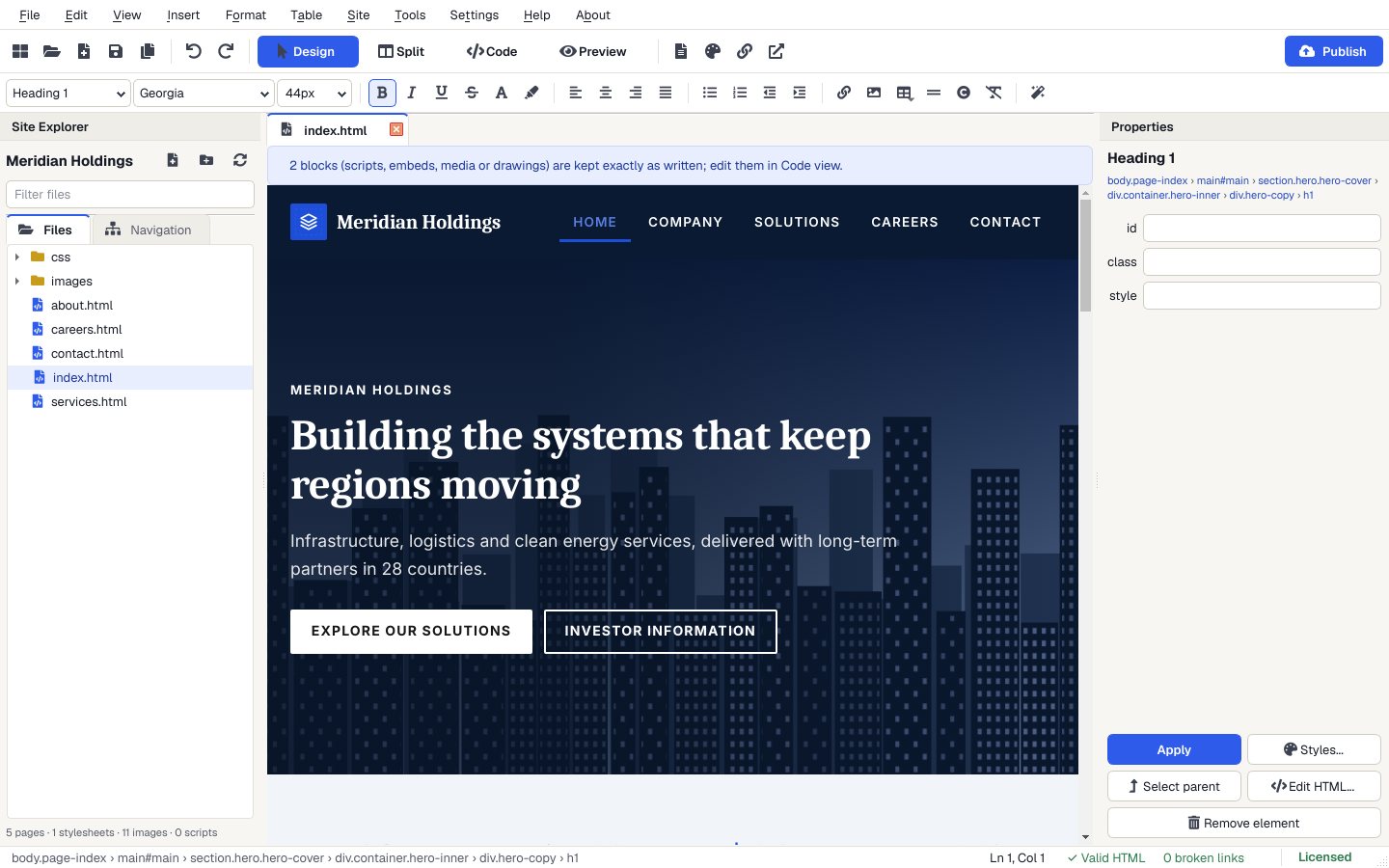
Edit the pages you publish
The same window edits the site visually, so you can fix a typo and republish in seconds.
Add your host's details
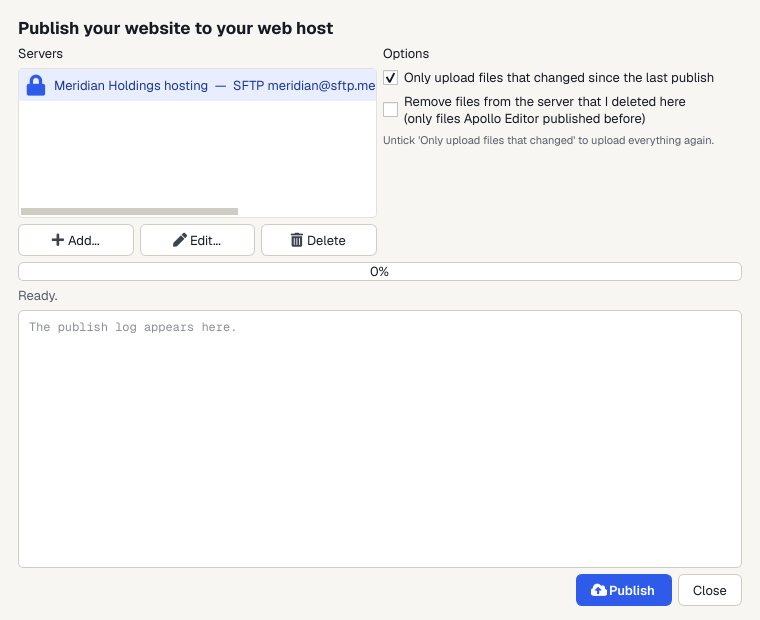
In the Publish window click Add, enter the server address, connection type, username, password and website folder.
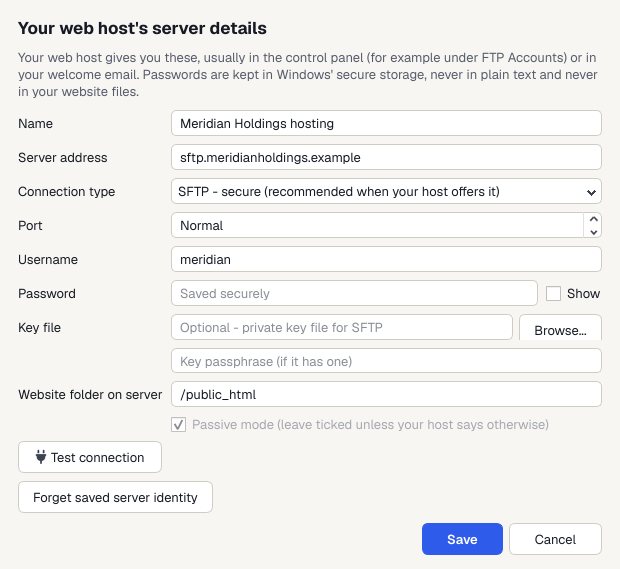
Test the connection
Click Test connection, then Save. You only do this once.
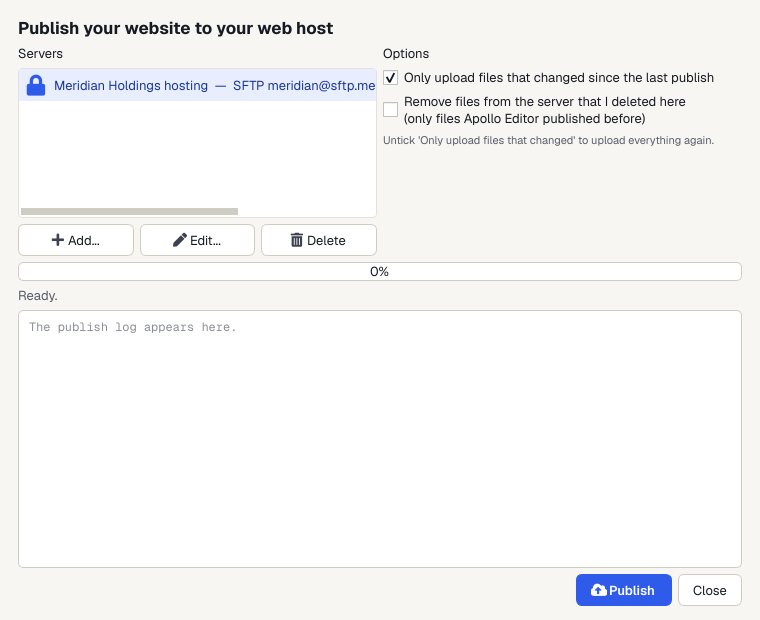
Publish
Pick the server and click Publish. Open pages are saved first.
Next time
Only files that changed since the last publish are uploaded. Or publish to a folder or ZIP.
Why it's safe
Encrypted when your host allows
SFTP and FTPS encrypt everything, and SFTP servers are confirmed by fingerprint the first time.
Only your files are removed
Remove files from the server that I deleted here only ever removes files Apollo Editor published before.
Checked uploads
Follow the progress and the log; each file's size is checked after it's uploaded. Cancel stops safely.
Secure passwords
Kept in Windows Credential Manager, never inside your website files.
Who it's not for: people who don't have a web host yet and want one included. Apollo Editor publishes to the host you choose.
One license. Unlimited websites.

One-time payment · instant download
- WebsitesUnlimited
- Templates30 included
- PublishingFTP, FTPS, SFTP
- Works onWindows 10 & 11
- UpdatesFree
- Activations1 PC
Get Apollo Editor
It installs and runs without a key, so you can design, edit, preview and save your whole site first. Publishing it needs an activated Installation Key.
Buy now · $79.95Already purchased? Get your download link again
Where do I find my FTP details?
Most hosts show them in their control panel (for example under FTP Accounts) or in your welcome email: the server address, username, password and the website folder, often /public_html.
Is my FTP password stored safely?
Yes. It's kept in Windows Credential Manager, never in a plain text file and never inside your website files.
Does it upload everything every time?
No. With Only upload files that changed since the last publish ticked, republishing is quick. Untick it to upload everything.
Do I need a key to publish?
Yes. Designing, editing, previewing and saving work without a key; publishing needs an activated Installation Key.
My changes don't show online. What now?
Check the website folder on the server (usually /public_html or /www), then refresh your browser with Ctrl+F5. Browsers and some hosts keep an old copy for a while.
More from Apollo Editor
Edit, click Publish, done
FTP, FTPS and SFTP publishing built into a visual website editor.
Get Apollo Editor · $79.95